Translate selection
Select text anywhere, trigger with a shortcut, and see the result in a floating panel near your selection.

macOS selection translator
USD $4.99 · one-time purchase
DownloadRequires macOS 14+ · Apple Silicon
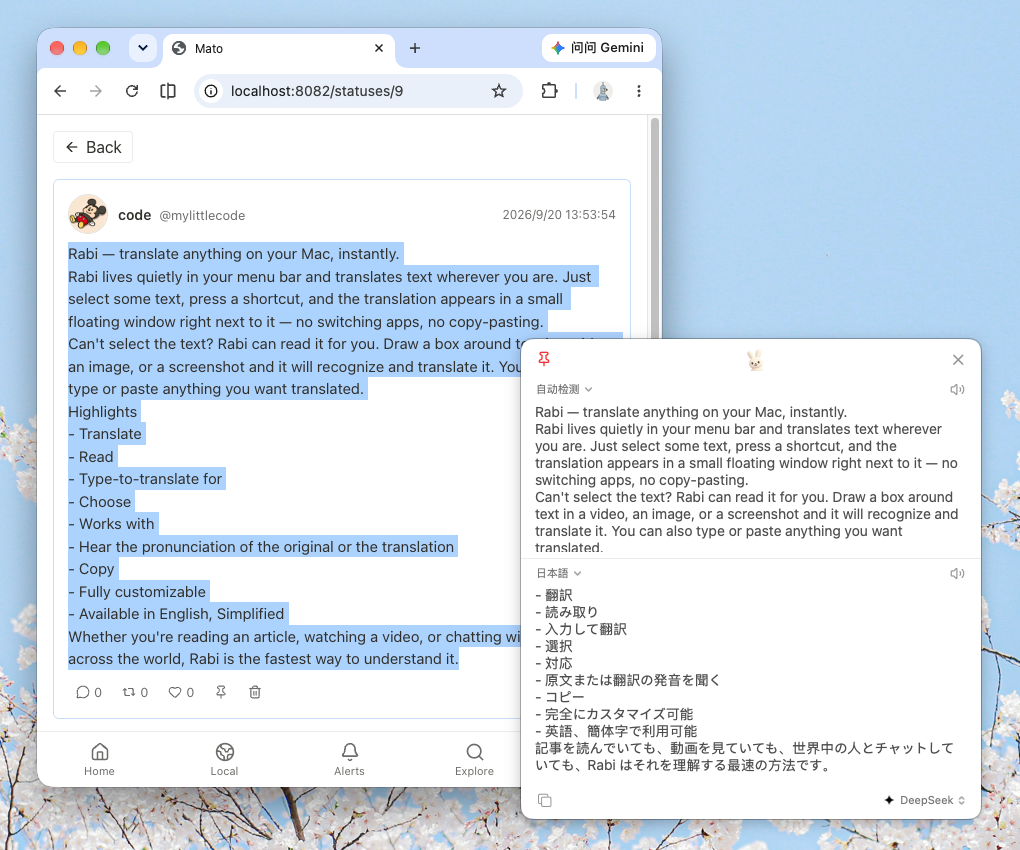
A menu-bar translator that stays out of your way.
Select text anywhere, trigger with a shortcut, and see the result in a floating panel near your selection.
Grab text from images, PDFs, video subtitles, and more — then translate right away.
Set your own shortcuts for translate, OCR, and more. Change them anytime in Settings.
Use Google Translate with no API key, or bring your own OpenAI-compatible service.
English phonetics and definitions; speak the source or translation when you need it.
Runs locally in the menu bar. Your API keys stay on your Mac; Rabi collects no accounts or telemetry.
Pay once. No subscription. No recurring charges.
Rabi License
USD $4.99
One-time purchase
Unlock the full macOS app with a single payment. Optional AI translation uses your own API key and is billed by that provider, not by Rabi.
DownloadRabi is a menu-bar selection translator for macOS. Select text in almost any app, trigger a shortcut, and get a translation in a floating panel.
Rabi is USD $4.99 as a one-time purchase. There is no subscription and no recurring charge for the standard license. Optional AI features use your own API key and are billed by that provider.
Click Download on this page for the latest DMG, then move Rabi.app into Applications. On first launch, grant the permissions asked in System Settings.
macOS 14 (Sonoma) or later. Currently Apple Silicon (arm64) only.
When you translate, the text is sent to the service you choose — Google Translate or your own OpenAI-compatible endpoint. Rabi itself collects no telemetry or accounts.
Translation targets include Simplified Chinese, Traditional Chinese, English, Japanese, Korean, French, German, Spanish, and Russian. The UI can follow the system or be chosen manually.